Step 15. Call hold and transfer
The SIP protocol provides the REFER request for call transfers. When a subscriber device receives such a request, it places a call in the specified direction. The server forwards the REFER request, its related responses, and adjacent requests from one device to another.
Every call passes through the B2B role on one of the servers. Recall that this is one of the B2B instances on the site that received the incoming INVITE request from the subscriber who initiated the call. Looking slightly ahead, the subscriber can be an internal user and their device, or any other party: an external subscriber or an internal service. From the perspective of the B2B role’s call servicing, the subscriber type does not matter. Therefore, the cases and corresponding model diagrams in this step do not mention the SG role or any other roles.
Three participants are considered: Alice (A), Boris (B), and Varvara ©.
Hold
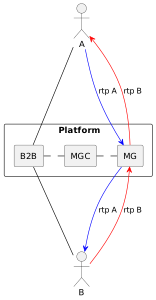
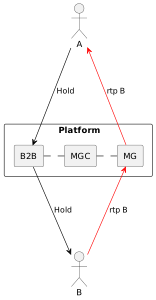
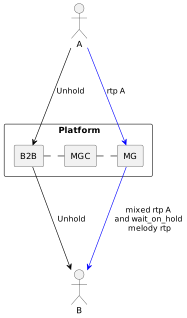
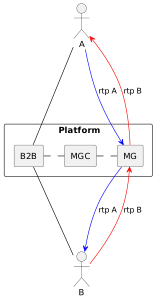
Case: Alice is talking to Boris. From her phone, she puts Boris on hold. Boris hears hold music. Then Alice returns Boris to the conversation. To do this, she presses HOLD on her phone to put the call on hold and presses HOLD again to take it off hold.
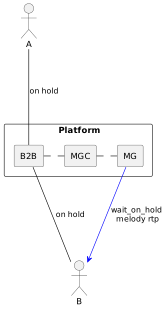
During hold, the waiting subscriber hears hold music played by the server.
1. Active dialog |
2. HOLD |
3. Hold |
|
|
|
4. HOLD (Unhold) |
5. Active dialog |
|
|
|
Transfer to a number
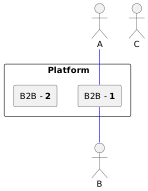
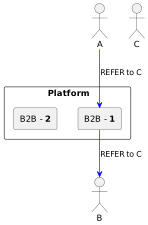
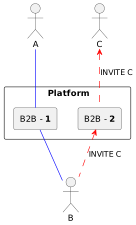
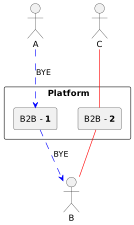
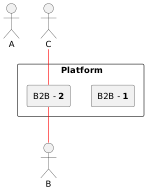
Case: Alice is talking to Boris. From her phone, Alice transfers Boris to Varvara’s number. To do this, she presses TRAN on her phone, dials Varvara’s number, and presses TRAN again.
1. Active dialog |
2. TRAN, Number, TRAN |
3. Boris’s device places a call |
|
|
|
4. Varvara answers |
5. Alice’s device ends the dialog |
6. Active dialog between Varvara and Boris |
|
|
|
Consultation call
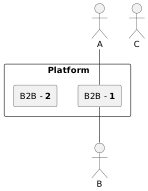
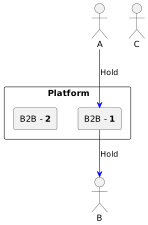
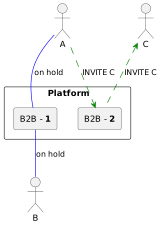
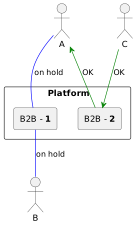
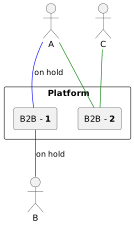
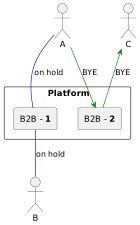
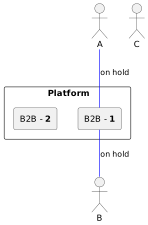
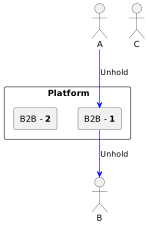
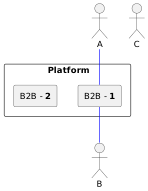
Case: Alice is talking to Boris. During the conversation, Alice calls consultant Varvara, talks to her, and after finishing returns to the conversation with Boris. To do this, she presses TRAN on her phone, dials the consultant's number, and presses CALL or waits for auto-dial. After the conversation with consultant Varvara ends, one of the parties ends the call, and Alice uses HOLD to return to the conversation with Boris.
1. Active dialog |
2. TRAN |
3. Number, CALL |
|
|
|
4. Varvara answers |
5. Active dialog between Alice and Varvara |
6. Varvara ends |
|
|
|
7. Boris on hold |
8. HOLD |
9. Active dialog between Alice and Boris |
|
|
|
Transfer with replacement
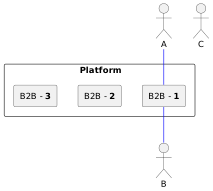
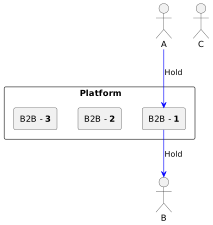
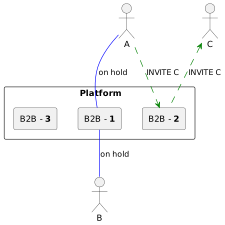
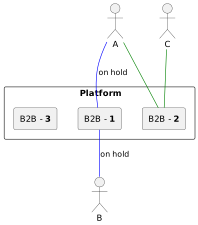
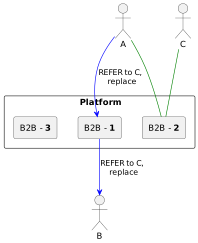
Case: Alice is talking to Boris. During the conversation, Alice calls Varvara, then connects Boris and Varvara to each other and releases herself. To do this, she presses TRAN on her phone, dials Varvara's number, and presses CALL or waits for auto-dial. After Varvara answers and possibly confirms readiness to connect to Boris, Alice presses TRAN.
1. Active dialog |
2. TRAN |
3. Number, Call |
|
|
|
4. Varvara answers |
5. Active dialog between Alice and Varvara |
6. TRAN |
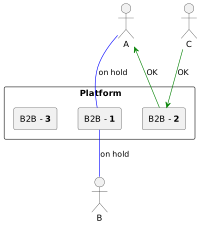
|
|
|
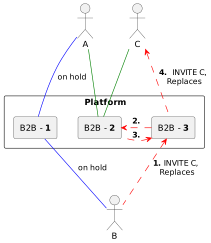
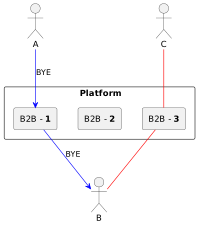
7. Boris’s device places a call |
8. Varvara’s device replaces the call |
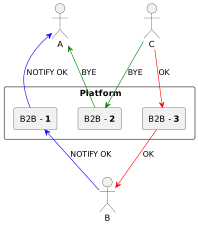
9. Alice’s device ends the dialog |
|
|
|
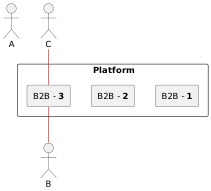
10. Active dialog between Boris and Varvara |
||
|
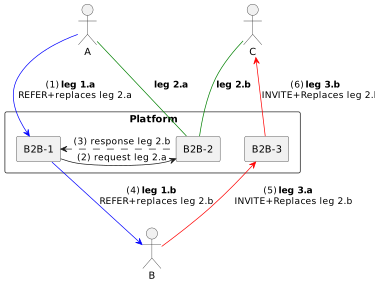
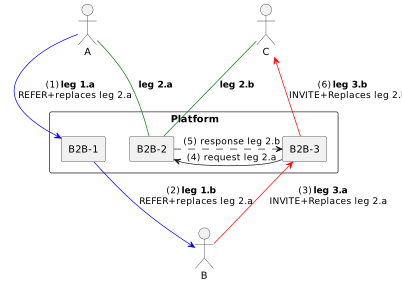
Since each B2B dialog is represented by two SIP dialogs, leg A and leg B, it is important to substitute the correct leg during replacement. Without this, Varvara’s device cannot find the dialog being replaced, and the replacement will not occur; instead, the device either rejects the call or accepts a second call. The problem exists because Alice’s device knows only its own leg A of the dialog with Varvara, and its identifiers differ from leg B, that is, from what Varvara’s device knows about the same dialog. Alice’s device sends a REFER request with replacement, specifying the parameters of its own leg A of the dialog with Varvara as the replaced dialog, while Varvara’s device needs the parameters of leg B of the same dialog for a successful replacement.
The B2B role solves this problem independently through direct communication between its instances (regardless of the sites where they are located). Either when forwarding the REFER+replaces request or when processing INVITE+Replaces, the B2B role instance makes a direct request to the adjacent B2B role instance where the target dialog is served, and uses it to modify the leg identifiers.
| During REFER+replaces | During INVITE+Replaces |
|---|---|
|
|
The target B2B (in the examples, B2B-2) is discovered directly. Each B2B instance, passing a call through itself into each leg, places "talking" identifiers. A To-Tag is generated for leg A, while a From-Tag and Call-ID are generated for all leg Bs. Each generated value contains data by which, using the configuration, the address of the B2B instance that generated it can be determined. Thus, to replace the identification values of one leg with the values of another leg, it is enough to have both tags, From-Tag and To-Tag, determine the serving B2B instance from them, and use it to perform the replacement. This is how the function works. In a REFER request, the Replaces attribute contains the Call-ID, From-Tag, and To-Tag. In an INVITE request, the Replaces and Refer-To headers contain the same leg identifiers, and possibly a flag indicating that replacement has already been performed.
Transfer success tracking
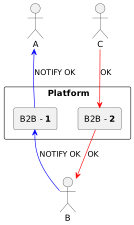
Case: Alice is talking to Boris. From her phone, Alice transfers Boris to Varvara’s number. Varvara rejects the call, and Boris returns to the connection with Alice. To do this, she presses TRAN on her phone, dials Varvara's number, and presses TRAN again. Alice is released, but her phone subscribes to the transfer operation events sent by Boris's phone. When a failure event is received, Alice's phone rings again, and Alice answers the call and reconnects with Boris.
This device behavior is defined by the SIP protocol and its extensions. The device that initiated the transfer subscribes, and the device performing the transfer notifies the subscriber about the state of the redirected call, forwarding the responses received from the third party to the INVITE it sent. This interaction occurs within the dialog being transferred.
Thus, one device in this dialog sends a REFER request to the other party, and the other party sends NOTIFY requests back, forwarding all received responses. Only after receiving a NOTIFY with a forwarded 200 OK response does the transfer initiator’s device end the transferred dialog. Accordingly, upon receiving a NOTIFY with a final failure response, the initiator’s device reconnects in the transferred dialog. For a device (phone), it remains passive the entire time after sending the REFER request. If the phone is on hook, it starts a call to its user and only then reconnects in the transferred dialog.
The B2B role forwards REFER and NOTIFY requests and their responses.
Cross-site transfer
Case: Alice’s, Boris’s, and Varvara’s devices are connected to different sites. Alice calls Boris, Boris makes a consultation call to Varvara, and transfers Alice to Varvara with replacement.
What happens to the media servers (MGC, MG, BGMG roles)? According to step 11, each B2B role instance connects the MG media server to each dialog it serves through the MGC media controller. The MGC and MG are selected within the same site as the B2B instance.
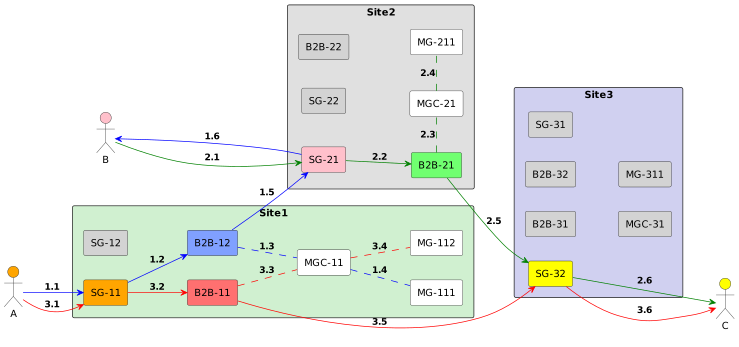
The scheme shows that in any B2B dialog, regardless of: * which subscriber types participate: internal users, external subscribers, or internal services; * which domains the subscribers belong to; * which site configuration is set; * how the dialog was created: by a direct call, transfer to a number, or transfer with replacement;
the dialog is served by a SIP server (B2B role) and a media server (MG role) located on one of the sites to which the participants of this dialog are connected.
Thus, provided that media servers within a site are indistinguishable, traffic always takes the shortest possible route. SIP signaling passes through 3 servers, and RTP traffic through 1 media server if networks are mutually visible, or through 2 or 3 if media traffic must be translated from one subnet to another at the boundary (step 14). With sites in Moscow, Krasnoyarsk, and Vladivostok, if a subscriber from Krasnoyarsk calls Moscow, the Krasnoyarsk servers serve the call; a consultation call from Moscow to Vladivostok is served by the Moscow servers; a transferred call from Krasnoyarsk to Vladivostok is served by the Krasnoyarsk servers. In the reverse transfer of a subscriber from Vladivostok to a subscriber in Krasnoyarsk, their dialog is served by the Vladivostok servers.
| Term | Definition |
|---|---|
|
! |
|
! |
|
! |
|
! |
|
! |
|
! |
-
Next step: Step 16. Calls to external networks
-
Previous step: Step 14. Different network segments