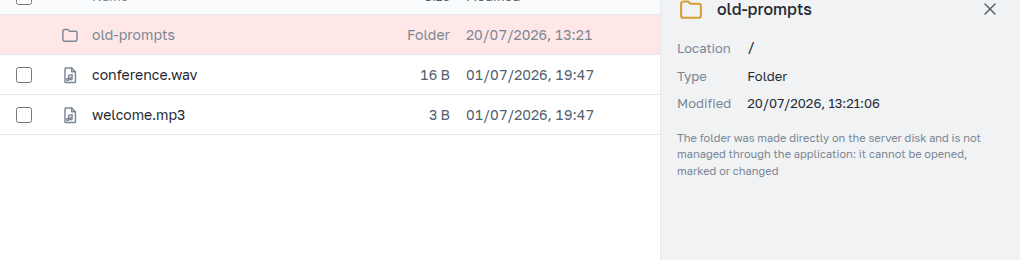
3. Folders
Folders exist only in tree sections — those with the Nested folders label. Creating, clearing, and deleting a folder each have their own confirmation.
New folder
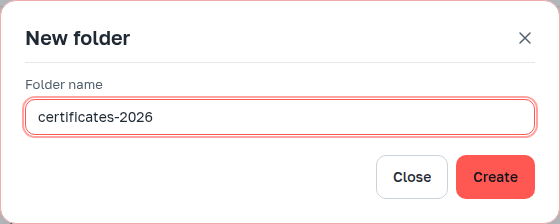
The name is validated by the same rules as a file name ("Files" section). The folder is created immediately, not "appearing after the first upload".
What can be done with a folder

Actions on the folder you are in are collected in the menu next to the address. The folder selected in the table has the same set in its details panel. On narrow screens there is no details panel for a folder, and the menu remains the only path to these actions.
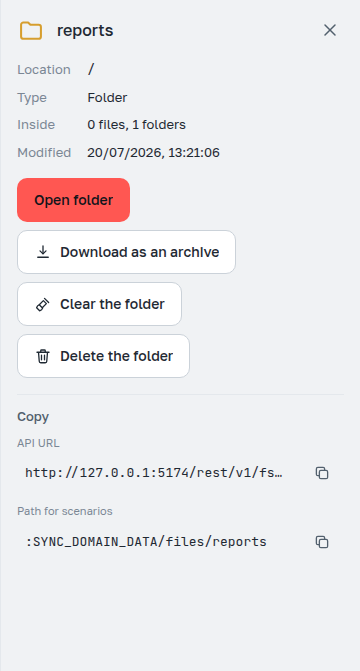
The Inside row shows how many files and nested folders the folder contains: this is a separate folder metadata request; such numbers are not visible from the content list.
Clearing and deleting
Clear folder keeps the folder and deletes everything inside. Delete folder removes the folder itself. An empty folder is deleted immediately, without confirmations.
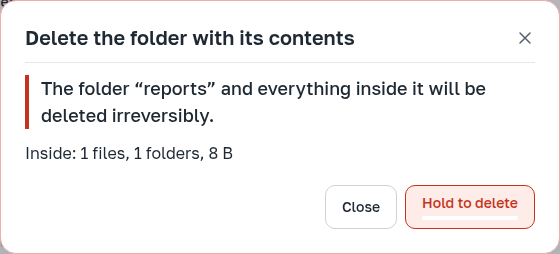
For a non-empty folder the protocol implies a two-step operation. The first step deletes nothing: the server responds with how many files, folders, and bytes are inside, and issues a confirmation key. The numbers in the dialog come from this response and refer exactly to what will be deleted.
The button works only after a five-second hold — with the mouse or Enter on the button. Release earlier, move the cursor away, lose focus — and nothing happens.
The confirmation key lives for about two minutes, and the application renews it itself while the dialog is open: you can read the numbers calmly, the button will not "cool down". When working via the REST API there is no such renewal — there the key must be requested again.
In a section with the Extra caution label, the folder name must be entered in addition to the hold.
If the folder content changed between steps — someone else uploaded or deleted files — updated numbers appear in the dialog, and confirmation must be given again.
The server does not delete a folder with more than ten thousand files or more than 10 GB in one operation; the application says so immediately and does not offer the hold. Such a folder must be taken apart in parts.