21. Switching off components
A short chapter about one button that saves a lot of work.
Why
The script section was no longer needed - for a week, until the end of the promotion,
until clarification. Taking it apart and putting it back together means losing connections, names and settings, and then restore them from memory.
Disabling solves this differently: the component remains on the map and in the script,
but it is not executed - the call passes through it further.
How
Toggle switch in the panel header - or the Disable component item in the context menu.
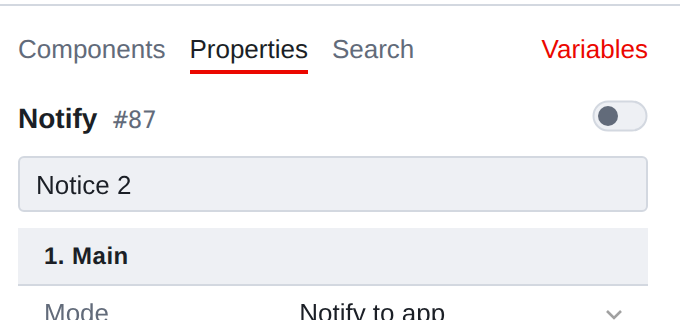
If several components are selected, the toggle switch works for the entire group at once.
When the status of the selected ones is different, it shows that way - and one click brings everyone to the same thing.
What it looks like on the map
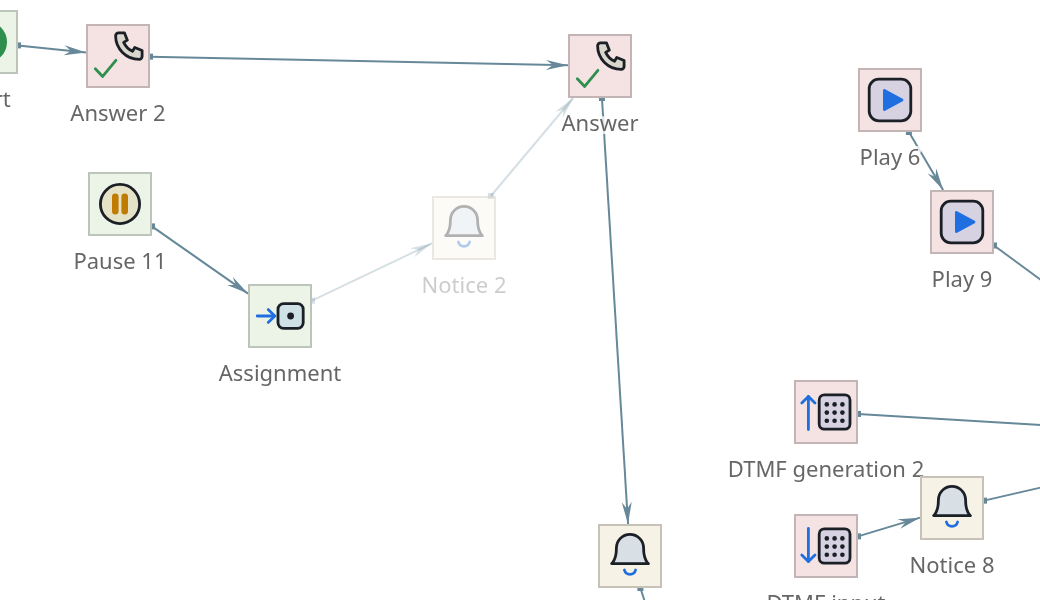
The switched-off component is paler than the others - along with its name and connections. No frame, no crossing out: it’s not "broken", it’s just
does not participate.
|
Trace mode shading looks similar, but means something different: "this component is not on the path." Don’t confuse it - it goes out in the trace Most of the card is at once, and the switched-off components are always pale. |
What happens to the call
The chain is not broken. The call reaches the switched off component,
does not fulfill it and moves on - along the main branch, along the happy-way.
Which branch is considered the main branch depends on the type:
| Type | Where will the challenge go? |
|---|---|
Regular component with one transition |
By Transition |
Comparison |
According to the “Truth” branch - that is, according to successful |
Menu |
On the branch Transition, other |
That is, turning off is not “cutting a step”, but “skipping a step.” Everything that
the component was done - played, asked, recorded - will not happen; everything that was after him along the main course, it will happen as usual.
|
Hence two things worth remembering. The branching logic disappears along with the component. By turning off Comparison, you don’t turn off the check - you make it always true. "Lie" thread stops working altogether. The main branch must be filled in. If the component is disabled she is gone, there is nowhere to go further - and the challenge will end there. |
Why is this better than deleting
The chain remains intact: by removing a component, you break the connection and will
restore it by hand. Turn it off and leave it as it is: the call will go through.
Nothing is lost: connections to a disabled component remain, properties
remain, the name remains. Turn it back on - one click.
- Comparing versions will show one line
-
in history you can see exactly what
happened: the component was turned off. After deleting and restoring the difference it would be much noisier.
It’s clear to a colleague: the switched-off area is visible on the map. Remote -
is not visible in any way, and in a month no one will remember that it was there.
|
If a site is turned off “for a while”, it is worth writing in its description until when time and why. Otherwise, in six months no one will dare to turn it on, nor delete. |