20. Branch trace
The map answers the question “what’s next” one step at a time. Trace responds
on it to the end: where the call will come from here and where you can get here.
How to enable
Select the component and press T - or select Trace branch in the context menu. Repeated T and Esc turn off the mode.
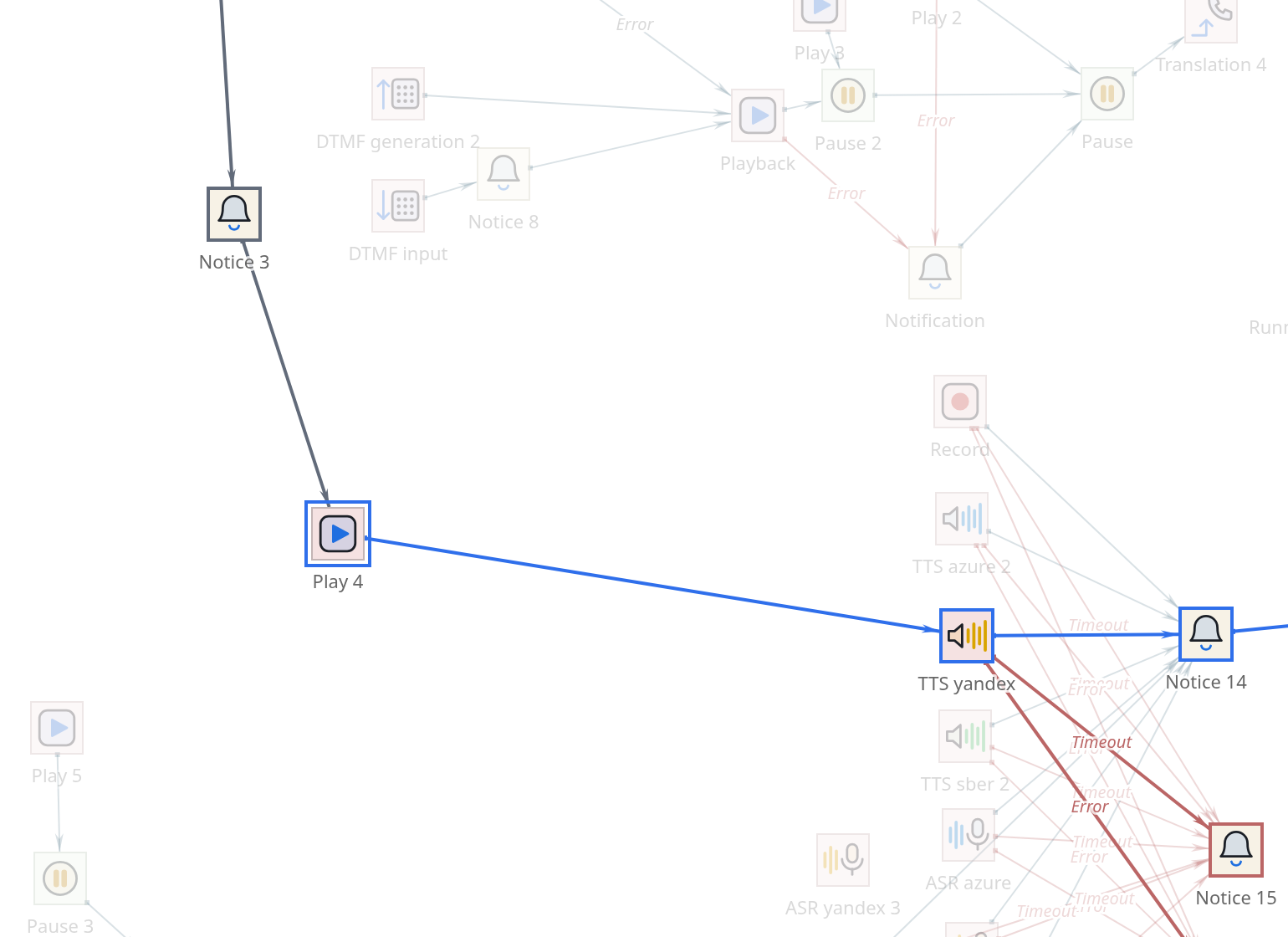
Everything that is not in the way goes out. What remains is what is relevant
to the selected point - and you can immediately see how large its area of influence is.
How to read a coloring book
- The main move forward
-
highlighted in color - the path the call will take
in the normal course of events.
- Spare branches forward
-
reddish - where it will fall in case of an error or
the expiration of time. Incoming paths:: muted - from where one can come to this point.
- Everything else
-
shaded. The shading says "this component is not here"
and not “this component is turned off”: those that are turned off go out the same way.
There is an important rule: there is no longer a main path beyond the alternate branch. If
the call went into error processing, then everything is considered spare, no matter how much there were no successful steps there. That’s what it means: prosperous
such a challenge will no longer exist.
Bar above panel
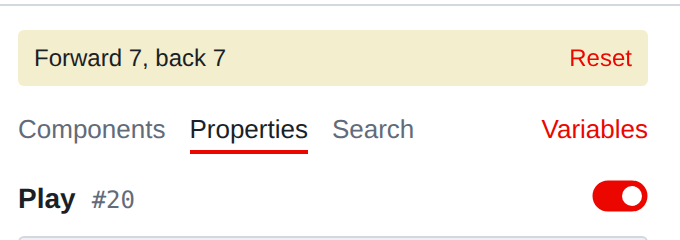
While the mode is on, a bar hangs above the tabs: how many components
achievable forward and how much backward. From these numbers you can see what the eyes
don’t catch.
Forward zero: dead end. A call that reaches here will go no further. Sometimes
this is correct (hang up), and sometimes it is a forgotten thread. Back zero:: no connection leads to the component. That’s the way it should be
at Start and at Mark - the mark is hit by name, and not by arrow.
For everyone else, zero means one of two things: a dead component or a branch
temporarily disconnected and forgot to connect back.
- There is suspiciously little forward
-
most likely, somewhere down the chain is empty transition.
What the trace doesn’t see
|
The tracing goes along connections. Following a label is not a connection - and is not drawn on the map, and is not traced in the trace. The path on this the component is terminated. This doesn’t mean the script is broken. Just check transitions by tags you need to do it differently: search by tag name. |
Tracing also does not know about calculations: if a transition is selected
expression, the editor considers all branches reachable, and not the one that
will actually work. He doesn’t perform the script, but reads it.
Tracing will not help you find out which branch the real call went through -
there are notifications from a running script for this
(Chapter 26).
When you need it most
-
Before deleting the area. Tracing back will show who is on it refers: deleting will become calmer.
-
When analyzing a complaint. “The call ended after the greeting” -
tracing forward from the greeting will show where he could have gone.
-
After a major edit. A quick way to make sure the new branch
actually connected and not hanging off to the side.
|
Tracing and highlighting changes when comparing versions use one mechanism and do not work at the same time: by turning on one, you turn off the other. Opening version history resets the trace itself. |