19. Search by script
In a scenario with four hundred components, search is not a convenience, but the main method
move. He searches not only by names.
Search string
Ctrl+F opens a line above the map.

Type - the editor searches as you type and immediately leads the map to the first
coincidence. The counter on the right shows what match there is now and how many
all of them.
| Key | Action |
|---|---|
Enter, F3 |
Next match |
Shift+F3 |
Previous |
Esc |
Close line |
|
Esc and a cross close the line along with the highlight: found the component will no longer be selected. If you need to leave it selected - just click on the map without closing the line. |
Results panel
When there are many matches, it is inconvenient to go through them one by one. Tab
Search shows everything found in the list.
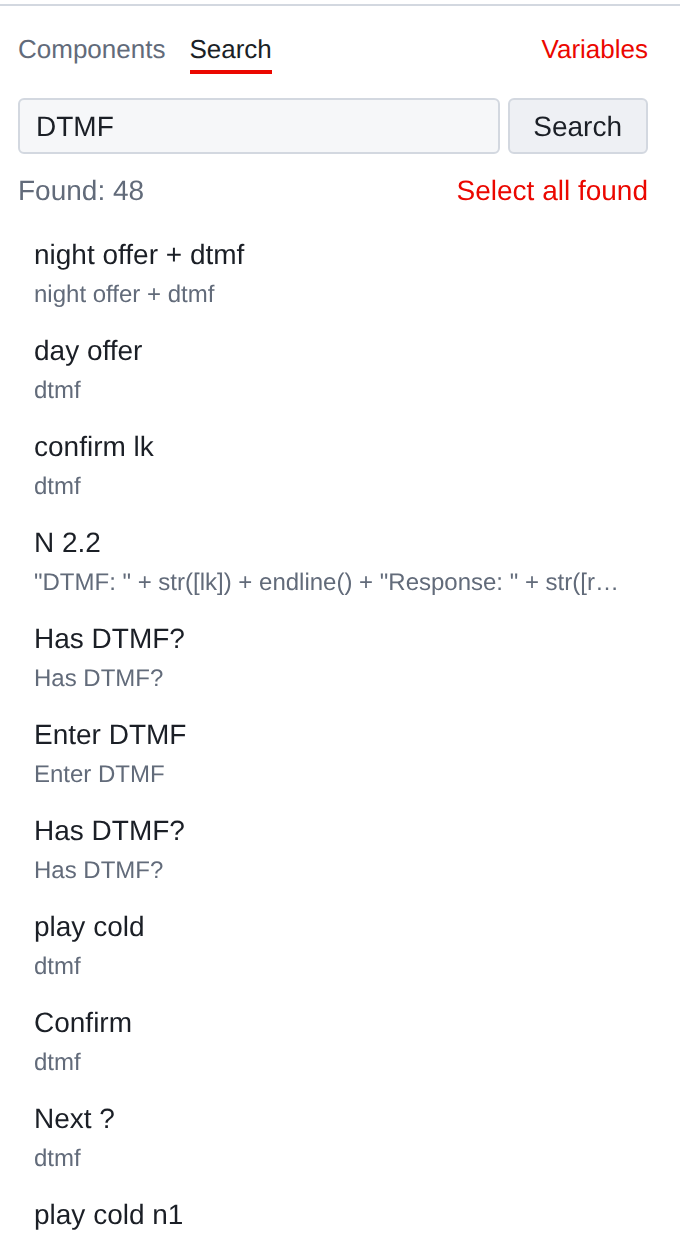
Each line is a component, its type, and where the match was found.
Clicking on a line leads the map to the component.
The Select all found button makes a normal selection from the results. Then you can work with it like any other: edit the general property,
move, delete.
Where exactly is he looking?
The search looks wider than it seems:
-
names and descriptions of components;
-
property values - constants, texts, numbers;
-
texts of expressions and templates;
-
names of variables referenced by properties;
-
names of attached files;
-
texts of regions.
Hence the useful tricks: the label name finds both the label itself and all transitions
on her; file name - all components that play it; name
variable - everything that reads and writes it.
Regular expressions
The query, enclosed in slashes, reads like a regular expression:
/ctx: .*\+\+/
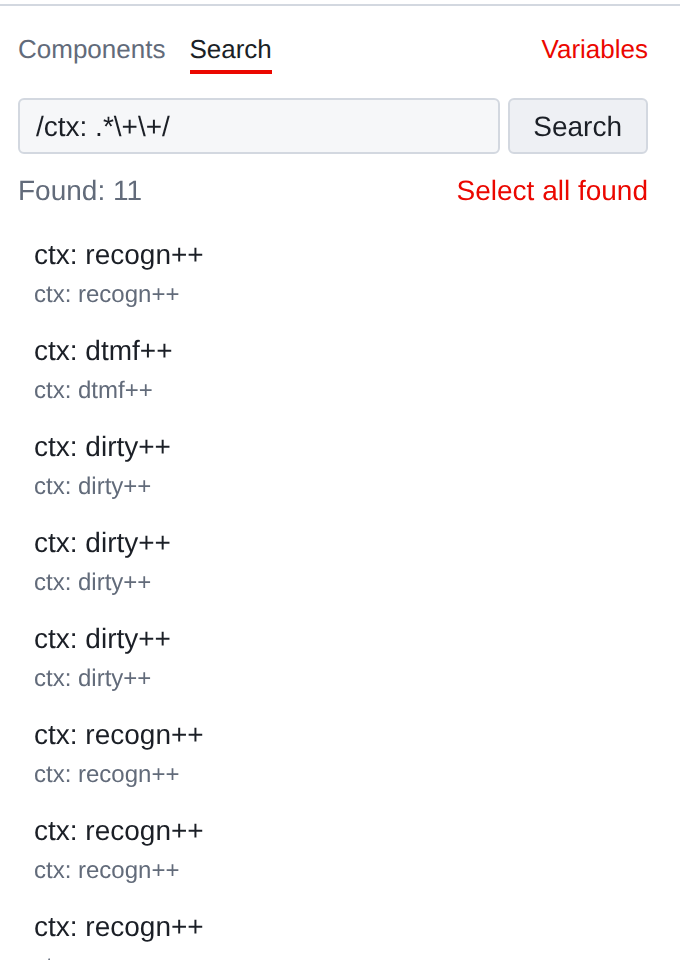
This is what is written on the server, and the editor repeats the same entry: /expression/,
no flags after the closing line. If there are no slashes, the query is searched
as a regular substring - including characters that are in a regular expression mean something.
|
It is convenient to use a regular expression to search by name pattern: all notifications named according to the “N number” scheme and will not affect anything another. |