15. Expressions and patterns
Two tabs of the argument window, in which the value is not taken ready-made,
and is calculated. The calculation language is server-based: the editor highlights it
and checks, but does not execute
(Expression, Function).
Expression editor
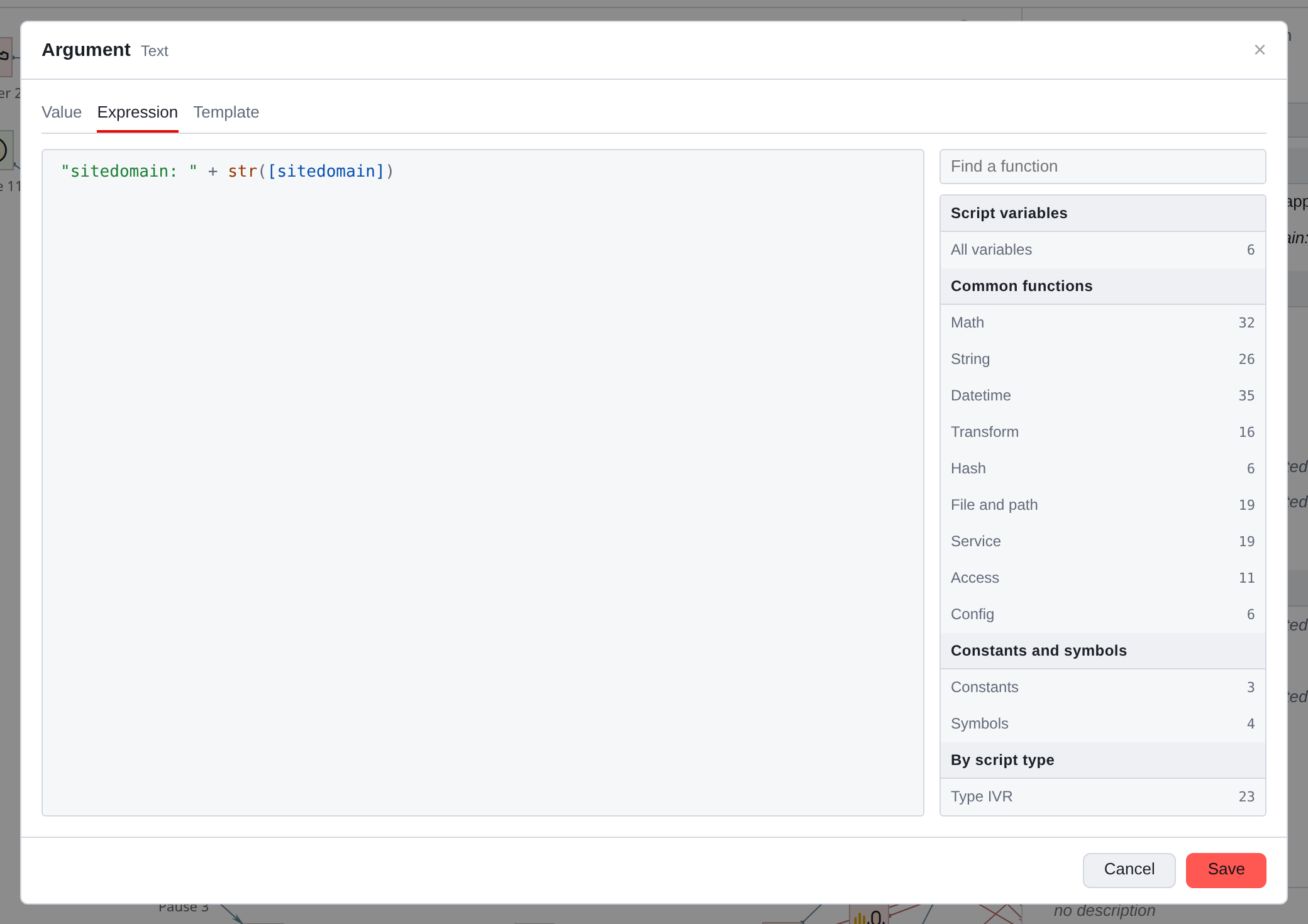
On the left is the text of the expression itself with highlighting: lines, numbers, function names and the variables are colored differently. On the right is a tree of what is possible
use.
The variable name is written in square brackets: [dtmf], [sitedomain].
Strings are in double quotes. Everything else is functions and operators.
|
Single quotes are not a replacement for double quotes. The syntax of the language is fundamentally Erlang, and the text in single quotes becomes an atom. Atoms on the server are limited in both quantity and length: short string will pass, but large JSON cannot be placed in single quotes. The rule is simple: strings must only be enclosed in double quotes. |
Function tree
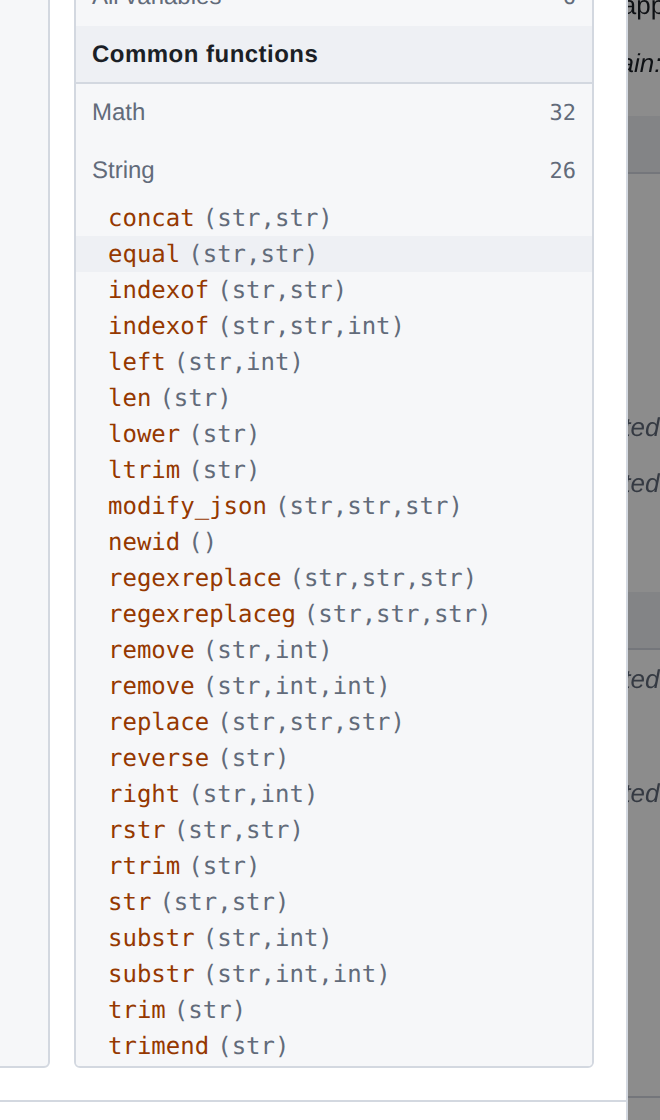
The tree is organized into sections: variables for this script, general functions
by topic (mathematics, strings, date and time, transformations, hashes, files,
access), constants and symbols, functions of a specific type of script.
Next to each group is how many functions it contains. Each function shows
parameter name and types: substr (str,int,int). Click inserts call
into the text at the cursor position.
The field above the tree searches by name - faster than opening groups in a row.
|
The script variables are the first section in the tree. Paste them from there more reliable than typing by hand: the name will be entered exactly as it is written, along with brackets. |
Variable without value
[name] - not a text substitution, but an access to a variable: the server replaces
recording by calling the access function by identifier. If the values of the variable no, this call throws an exception - the expression does not return false,
it falls completely.
Hence the consequence, which is worth knowing in advance: compare the variable
You can’t do it with “nothing.” [x] == null doesn’t work because it’s all about comparison
does not reach - [x] already falls.
The presence of a value is checked by a separate function, and it takes the name of the variable
string, not the variable itself:
check_variable("x")
True if a variable with the same name exists and contains a value.
The name here is written as a string in double quotes, rather than in square brackets:
parentheses would precisely mean referring to the meaning for which everything and it started.
There are two more functions in the same family that often eliminate
from checking at all:
-
get_variable_value("x", "")is the value of the variable, and if the valuesno, second argument. Expression doesn't fall: instead of exception default returns.
-
set_variable_value_if_undefined("x", "")- sets the variable value,if it doesn't exist yet; does not touch the given one. One such line at the beginning
eliminates checks in all expressions after it.
|
In practice this is less common than you might think. Component Start by default, it creates variables with empty values of their types - exactly so that expressions do not fall. Checking is needed where it is behavior changed by component configuration. |
Template
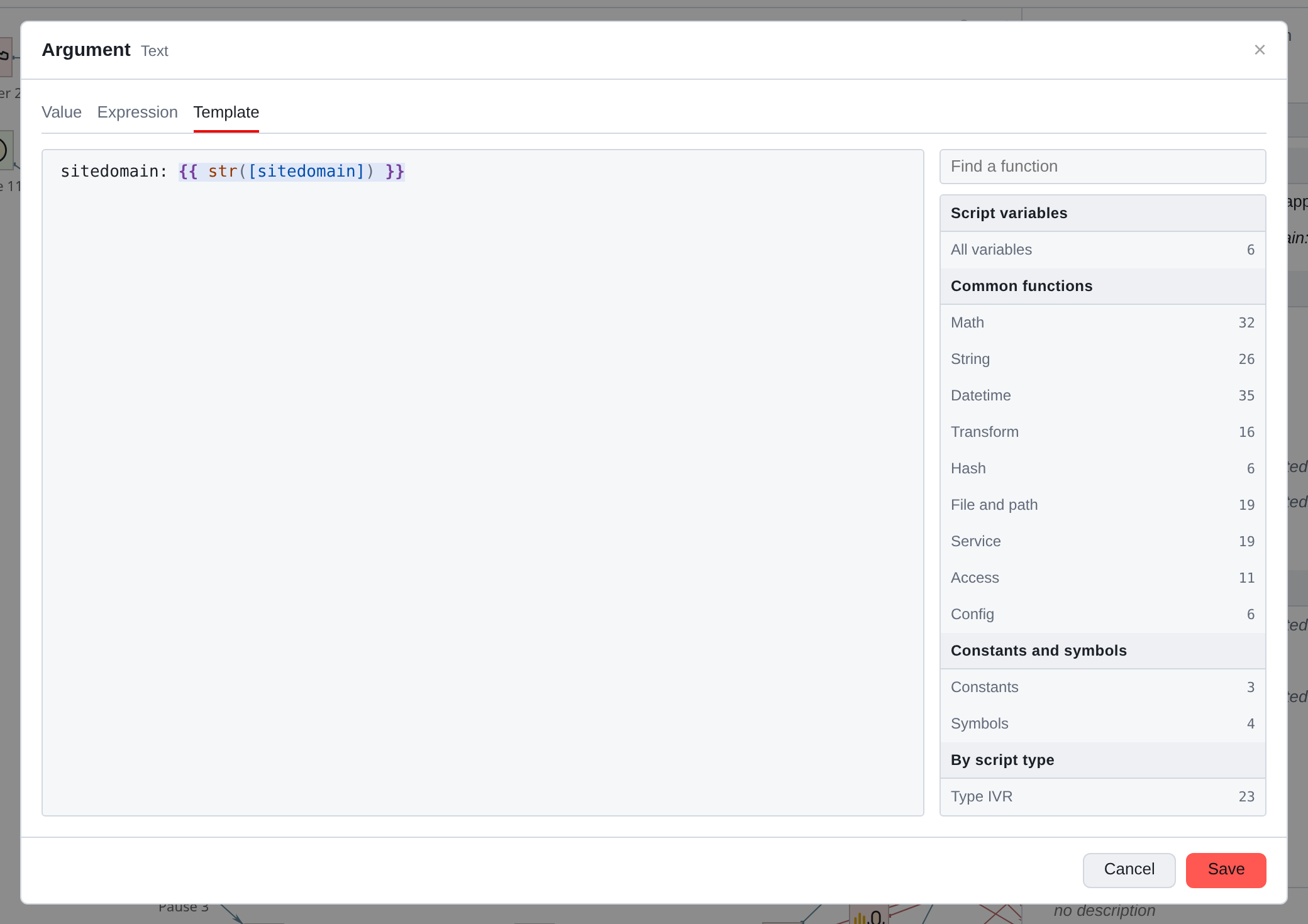
A template is plain text in which sections are enclosed in double curly braces
are calculated as expressions:
Hello, {{ str([name]) }}. Your balance is {{ str([sum]) }} rubles.
Highlighting separates substitutions from the rest of the text so that they are forgotten
the bracket is immediately visible.
The expression and the template are mutually translated: by switching the tab, you will see
the same value in another entry. The translation is done by the server, not the editor.
Template entry
Substitution is only a section within double curly braces. Everything else -
text as is: single curly braces, quotes, forward slash (path C:\dir is written as is). The request body in JSON format is written without any
shielding:
{ "code": 200, "text": "{{ str([text]) }}" }
The parts of the template are glued together with the line: 1{{ [n] }} with n = 2 gives “12”,
and not 3. The substitution is evaluated entirely: x{{ [n] + [m] }} is “x”
and amount. Two brackets in a row in the text are written with a slash: \{\{ and \}\}; without it }} in the text - a parsing error.
===Legacy Templates
Templates saved by previous versions are executed by the server in the same way as before
versions (before 1.11 - single entry { … }, slash as escape:
\[, \{). If the versions read the template differently, it is executed as before 1.11 (see below).
Having opened such a template, the editor shows it in the current entry with the same
value, and the stripe above the field indicates this. The template will be rewritten, only
if you change it or select it as intended - open and close the window
possible without consequences.
Sometimes the previous value is ambiguous and the editor will ask you to select as a template
intended:
-
As before 1.11 or As in 1.11 - before 1.11 there was a slash in the text
by escaping, in 1.11 - by a regular symbol. The clue in question rests
  at the time of the last recording of the script;
* _This is a substitution_ or _This is text_ - the pattern was not calculated in any version,
and the brackets in it look neither like an expression nor like JSON.
Until a choice is made, the server executes the template as indicated by the hint
for the option (as before 1.11 or as substitutions), the Save button of the window
is not available, the field is read-only, other tabs are closed, and Cancel leaves the template as it was. Also - read only and closed tabs - for now template
is being translated. If translation fails, the template field is read-only, but
the argument can be replaced with a value or expression in another tab; empty
the template does not erase the value there.
===What does the editor do?
Doesn’t do anything silently. Having seen a template that the server reads incorrectly,
how it looks, the editor shows a stripe above the field.
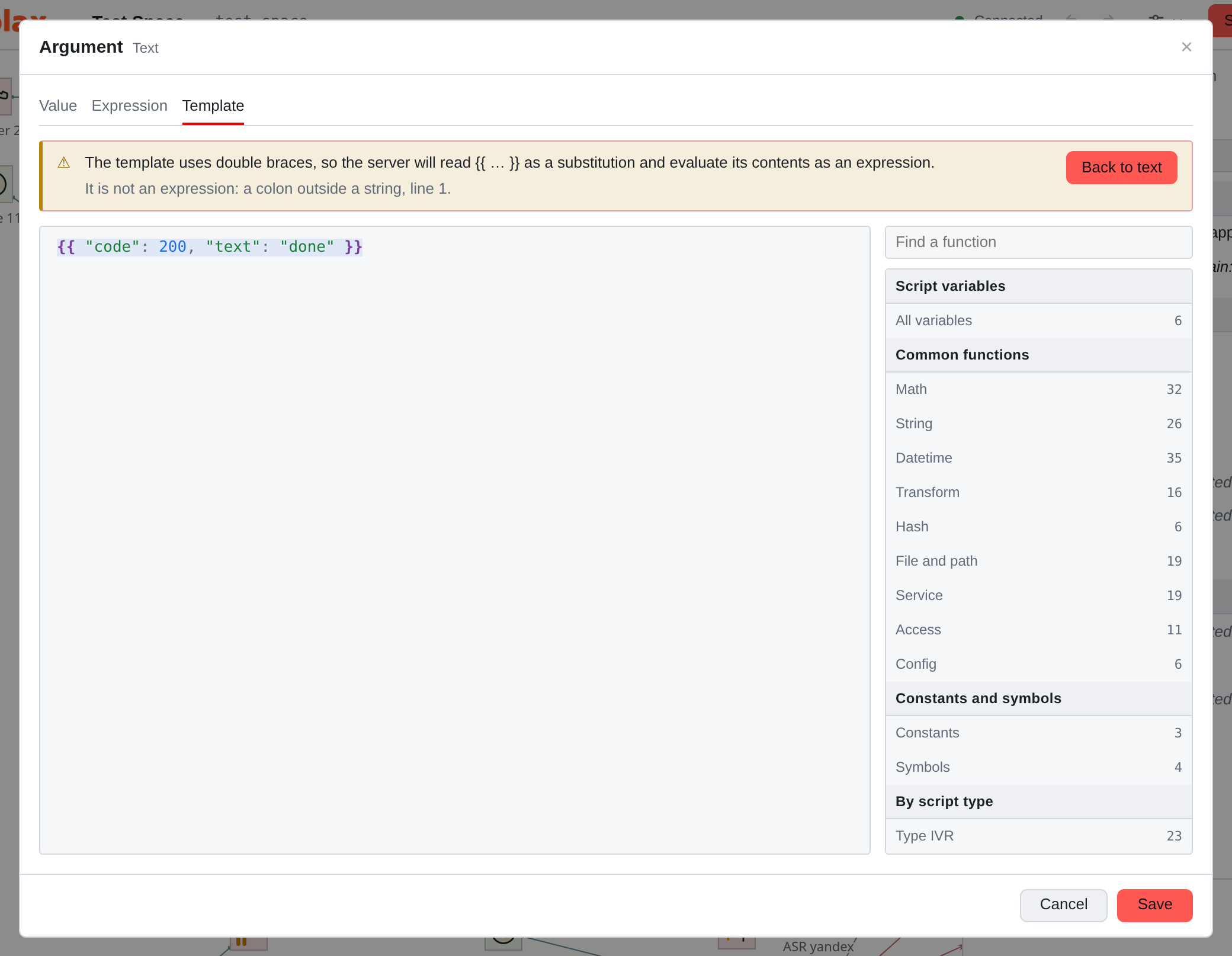
Strip explains position and suggests editing, but does not touch the text itself. She holds on until
the reason persists, and goes out as soon as the pattern is corrected - including if you
corrected it with your hands. Two lanes:
-
yellow - the server will refuse to parse the template (}} in the text, unclosed
  +{{+) or the contents of double brackets are not an expression, for example JSON;
* **calm** - expression in single brackets: the server will leave it as text,
and substitution can be done with one click.
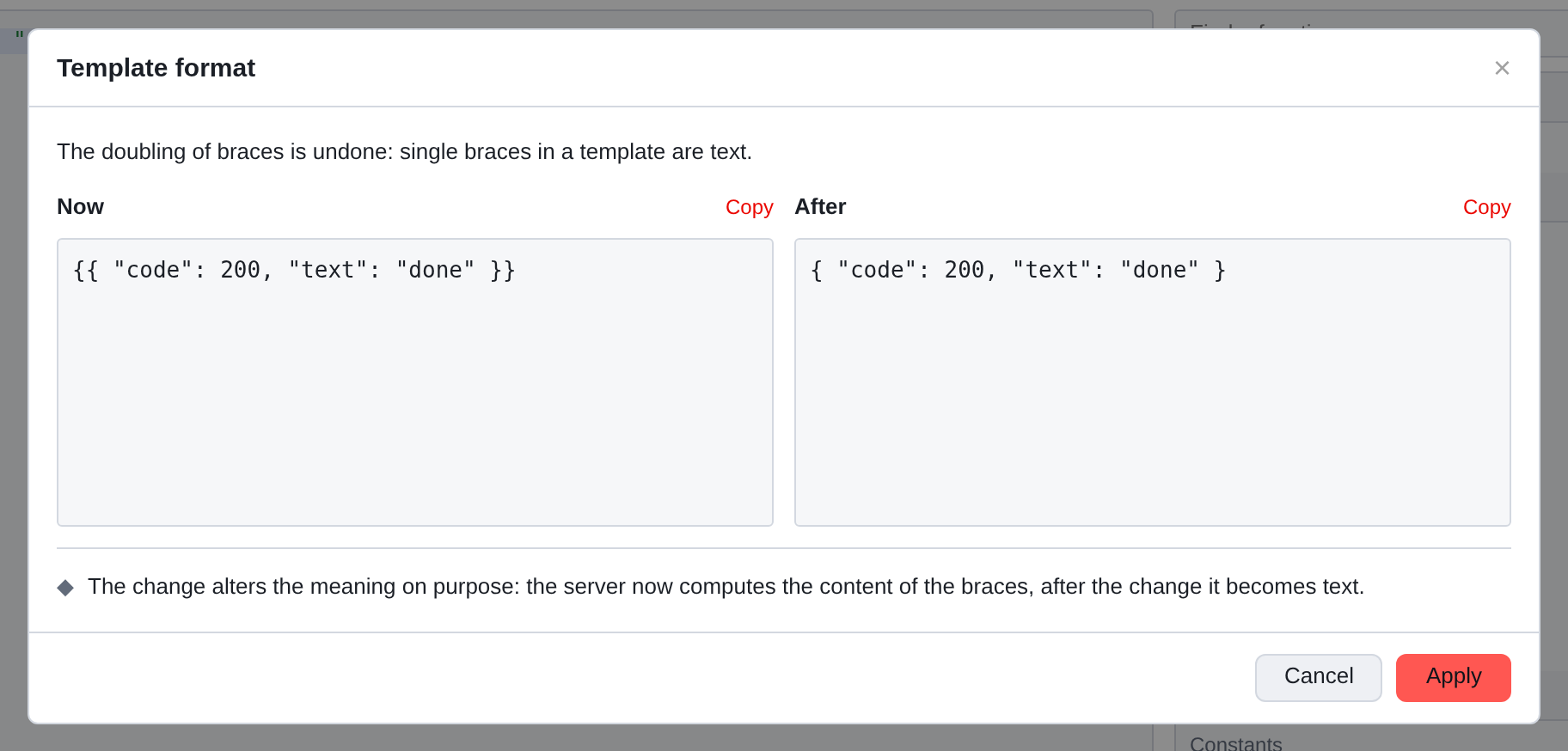
The strip button opens the “Template Format” window: on the left is the template as it is now, on the right - what it will become, both bodies are copied. Every edit changes
the meaning is intentional - the text becomes a substitution or the substitution is a text, -
and the window says it directly.
Undo returns to the edit without changing anything. Apply executes
editing - in one step, which is canceled by the usual CTRL + Z.
|
If you clicked Save and there is a yellow bar on the screen, the window will open itself and will add a third button - Leave as is. Keep template intact You can always: the last word is yours. In this window, the checkbox “Do the same with the rest of the templates” appears. script." It is removed by default, and this is deliberate: it is better to do edits there, where do you see her? The checkbox does not apply to templates of previous versions. |
Verification on the server
The editor does not invent its own parsing rules: the language belongs to the server,
and he checks the expression.
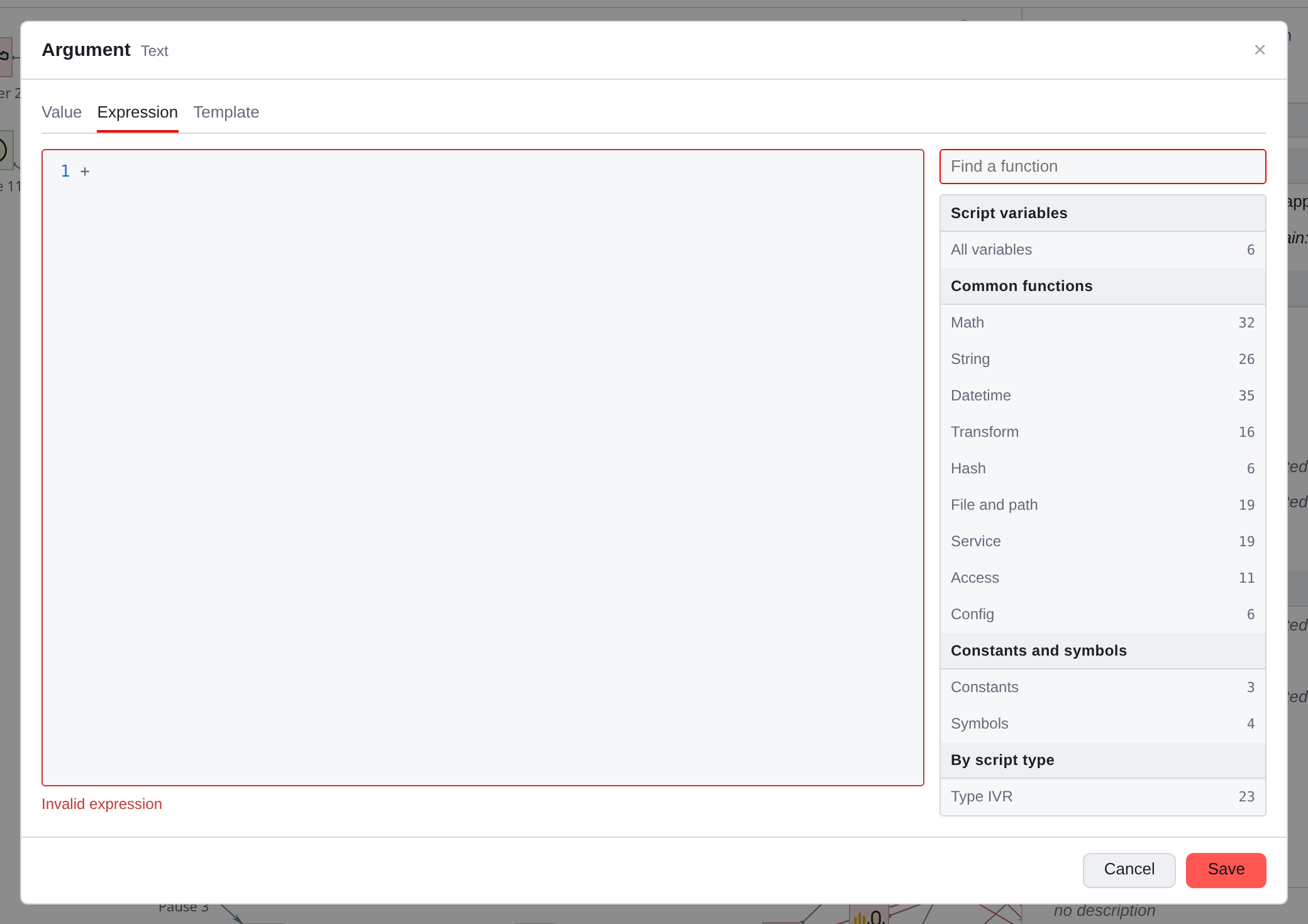
The check occurs when you leave the field, and again when saving
meanings. The error is shown as the server formulated it: frame
The field turns red and a message appears below it.
What is important to know:
-
the error does not prohibit saving. The editor warns, not guards:
It happens that the server responds in the wrong way, but the work shouldn’t stop;
-
if the connection is lost, there is no check. No response received - message
not shown. No error when connection is lost nothing
  does not prove;
* *the answer is remembered.* Opening the same expression again, you will see
known error without a new request.
Multiple actions in one expression
The language has Erlang syntax, and operators are separated by commas.
The value of the expression becomes the last one. This opens up the reception
which is worth knowing about in advance - the component function.
component executes a typed component directly inside the expression
script with properties filled in here in the expression editor,
waits for its completion and passes control to the next statement.
That is, a piece of the script can be written not in squares on a map, but a sequence within one argument.
|
This is a deep technique, not an everyday one. It is appropriate where to draw three squares on a map for one technical step is more expensive than writing line - and is inappropriate where the logician will then have to read with his eyes: It is visible on the map, but there is no expression inside. There are also limitations: arbitrary external Erlang methods from the expression are not called - this requires a separate permission setting on the server. Details - Expression and Function. |
Things to remember
-
The expression always returns one value. Branching is done
components on the map, not a formula.
-
Explicit type casting:
str(…)for a string,num(…)for a number.There will be no silent ghost.
-
A variable without a value drops the expression rather than giving false:
[x] == nulldoesn’t work. Checkcheck_variable("x")or take the valuewith default - `get_variable_value("x", "")`. -
A long expression is a reason to create a variable and break up the calculation
two steps. You will read the script.