16. Menu and translations
Two things for which scripts are most often written: to resolve the call
by pressing the button and give it to where a person will talk to the subscriber.
Menu: branching by value
Menu compares the argument with a set of values and takes the call to where matched (Menu Component).
The classic case is “press 1 for sales, 2 for support”, but compare
You can do anything: region code, base response, subscriber number. The click itself
The menu is not assembled - this is done by the component before it.
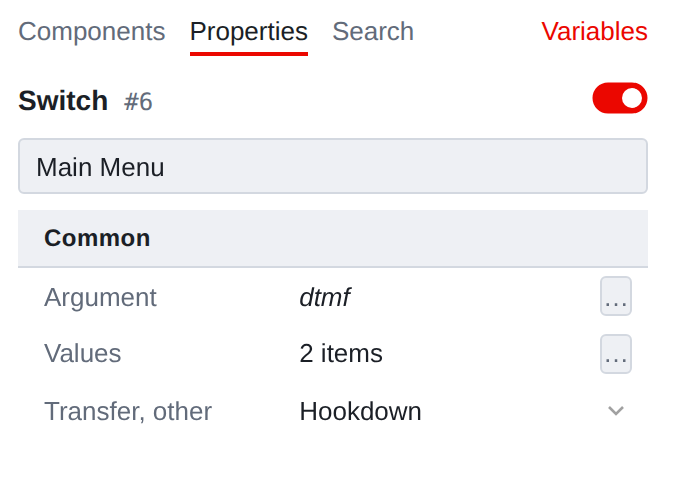
- Argument
-
what to compare. Common argument field: variable, constant,
expression or pattern. In IVR this is almost always a variable that
the previous step put the button pressed.
- Values
-
table “press this much - let’s go there.”
- Transition, other
-
where to go if not a single value matches.
Table of values
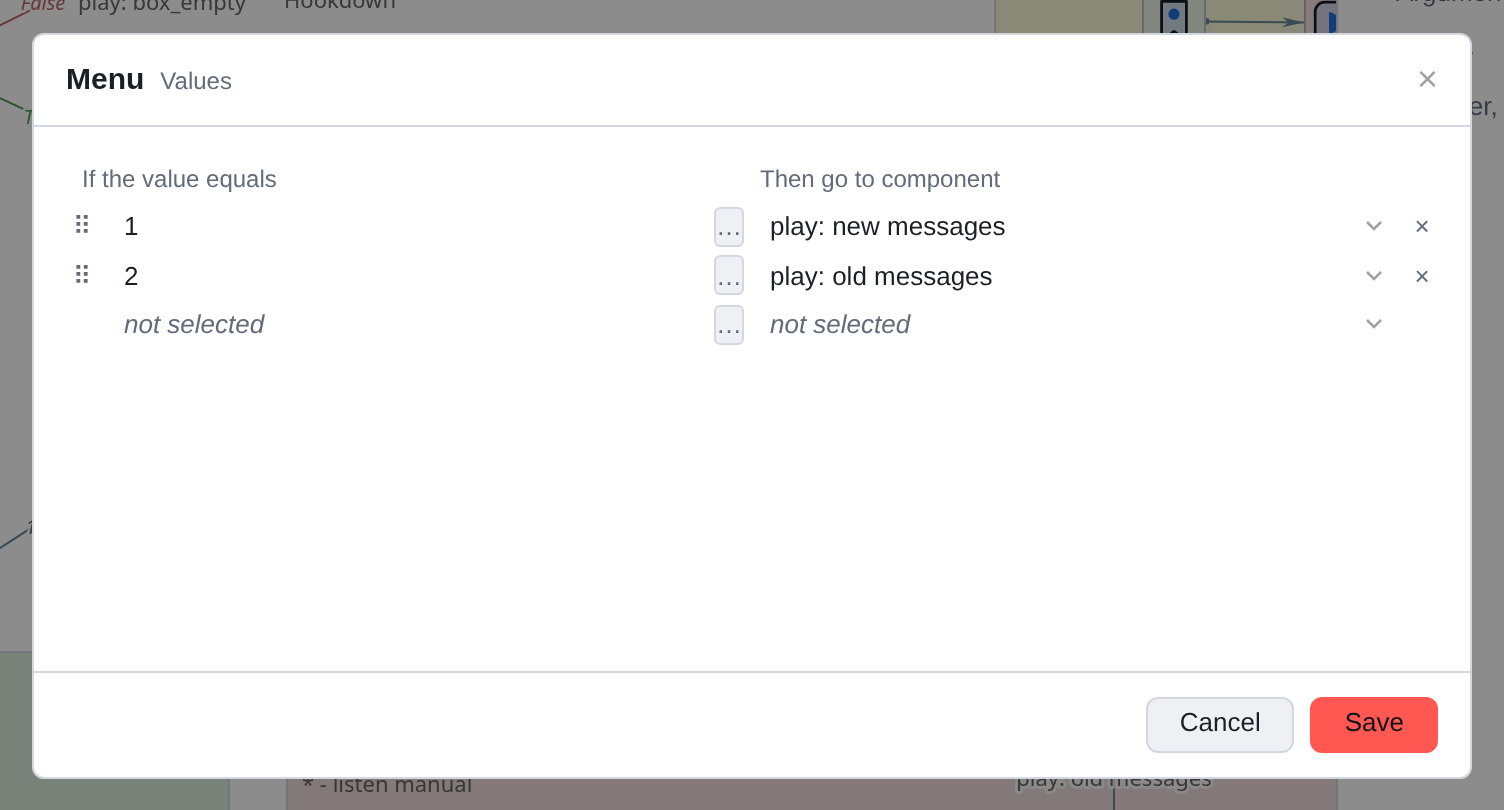
The left column is what to compare with, the right column is where to go. Left cell too argument: you can compare not only with a constant.
The empty line below appears on its own. The pen on the left rearranges the lines,
the cross on the right is deleted. The order is important: the comparison goes from top to bottom,
and the first match wins.
|
Ctrl and dragging from Menu fills not a table row, but Transition, other - the main branch of this type. Branches by values are specified only by the table. But the opposite is true: after filling out the table, you will see new arrows on the map with signatures-meanings. A map and a table are the same thing. |
What happens if you delete a target
Removed the component to which the branch led—the corresponding transition cell
will be empty. The table row itself will remain: the value you specified, and erase
his editor won’t.
A line with an empty transition is harmless, but also useless: a match will occur,
and there will be nowhere to go. Such lines should be cleaned out.
Translations
Transfer transfers a call to another number: to an operator, to a queue, to an external
phone.
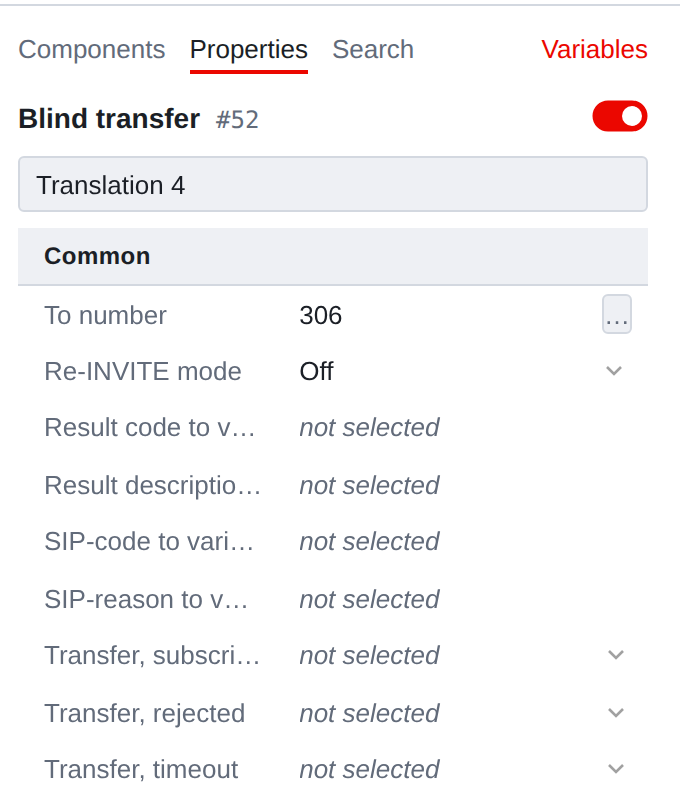
- Number
-
where we transfer. The argument means the number can be calculated.
- Result code, Result description, SIP code, Reason
-
where
put how the attempt ended. All these fields are variable, and fill
they are not necessary - but without them you can figure out later why the translation failed,
there will be nothing.
The purpose of the remaining properties is in the reference book:
Three branches instead of one
Translation does not have a “main” outcome in the usual sense: a conversation or
took place or not, and all interesting cases are unsuccessful.
- Transition, refusal
-
the subscriber on the other side rejected the call or is busy.
- Transition, time
-
no one answered within the allotted time.
- Transition, subscription time
-
event timed out.
|
If the translation fails and the corresponding branch is not complete, call the subscriber will simply end: there is nowhere to go further. Therefore, Transition, time and Transition, refusal should be carried out at least in general “Sorry, everyone is busy” - this is cheaper than a break in the tube. |