24. Version history and comparison
The server stores previous versions of the script. The editor knows how to show them,
compare pairs and return any of them.
List of versions
Save → checkbox → History.
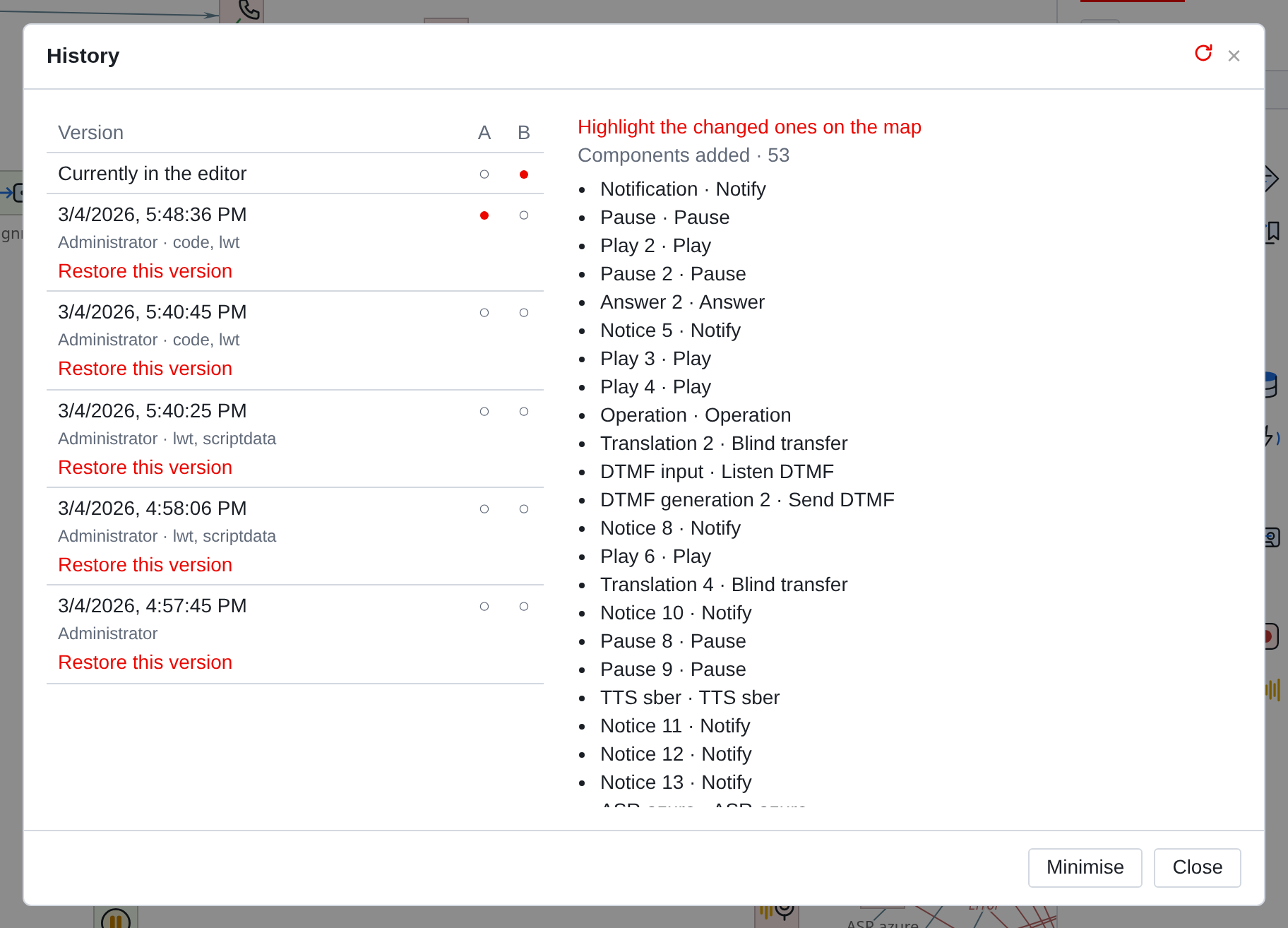
Each line is one preservation: time, author and what changed in it.
Labels like lwt, scriptdata are fields that the server recorded:
scriptdata means that the script itself has changed, and not just its name and code.
The top line is Currently in the editor: what’s on your screen
right now, including unsaved ones.
Comparison
Columns A and B choose what to compare with. Check two versions −
and on the right it will appear how they differ.
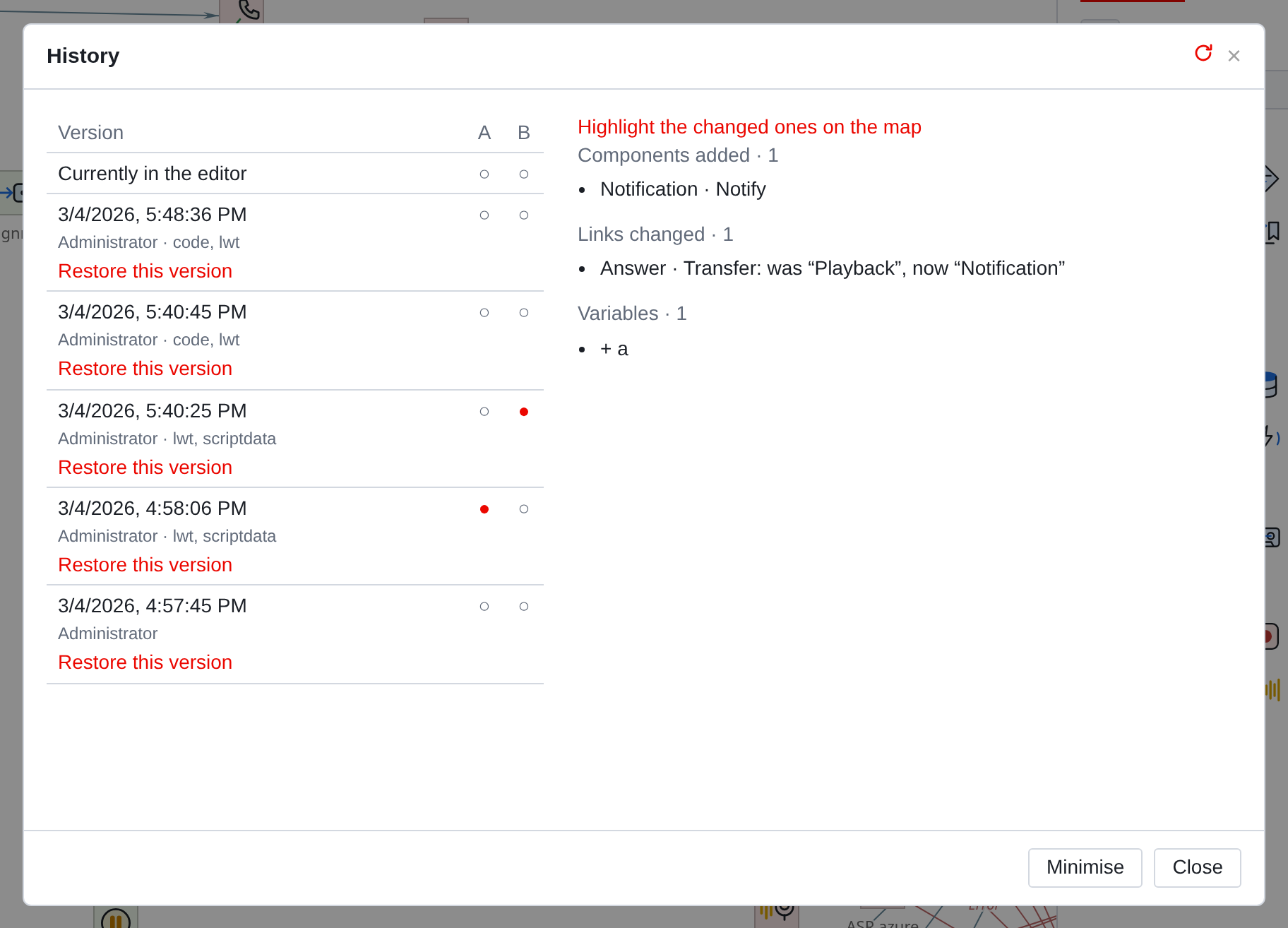
The difference is shown essentially, not line by line:
- Components added and removed
-
with type and name.
Properties changed: with the same and new meaning, readable words. Connections changed: “Answer · Transition: it was “Playback”, it became
“Notice” means exactly that, not by component numbers.
- Variables
-
added and removed.
This is the main benefit of comparison: to see someone else’s edits with your own eyes, before
than deciding whether to re-record it or not.
|
You can also compare it with what you have in your editor: put A on the server version, and B - to Now in the editor. So it’s clear what you exchanged for today and have not saved it yet. |
Highlight on the map
The list of differences answers the question "what has changed", but does not answer to the question “where”. To do this, there is Highlight changed on the map.
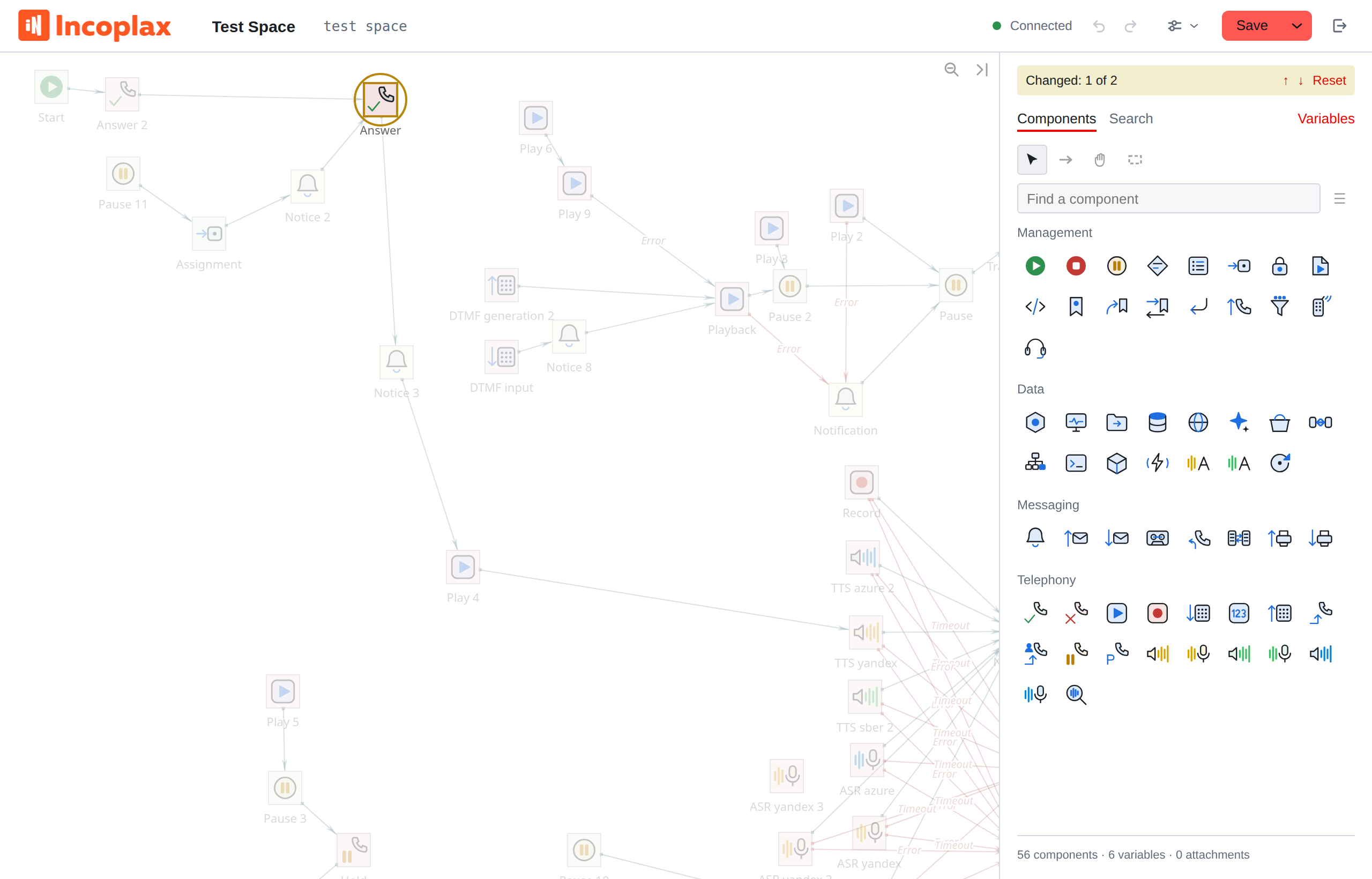
Changed components are surrounded by a ring, everything else goes out. Above panel
a line with a score and arrows appears: you can walk on the changed ones in a row, the card reaches everyone on its own. The one you’re standing on is marked
yellow, the rest - the highlight color.
Esc or Reset removes the backlight.
|
The history window is minimized with the Collapse button - it goes away, and the backlight remains. It’s so convenient to go through the changes without closing the comparison. |
Restore version
Restore this version in line. The script on the screen is replaced by that
full version.
This is a normal edit, not a rollback on the server:
-
it goes into the cancellation history - Ctrl+Z will return what it was;
-
nothing changes on the server until you click Save;
-
after saving, the restored version becomes the new, most recent one.
The old ones never disappear from history.
|
Restoration replaces the entire script. Selectively taken from the old one Version one component is not allowed - only everything. If you just need a piece, open the old version, restore it, copy what you need, cancel recovery Ctrl+Z and paste what you copied. |