9. Large script: marks, transition, branch, return
The arrow across half the map does not help understand the scenario - it confuses it.
The chapter is about four types that allow you to avoid drawing such arrows at all.
Four types instead of long links
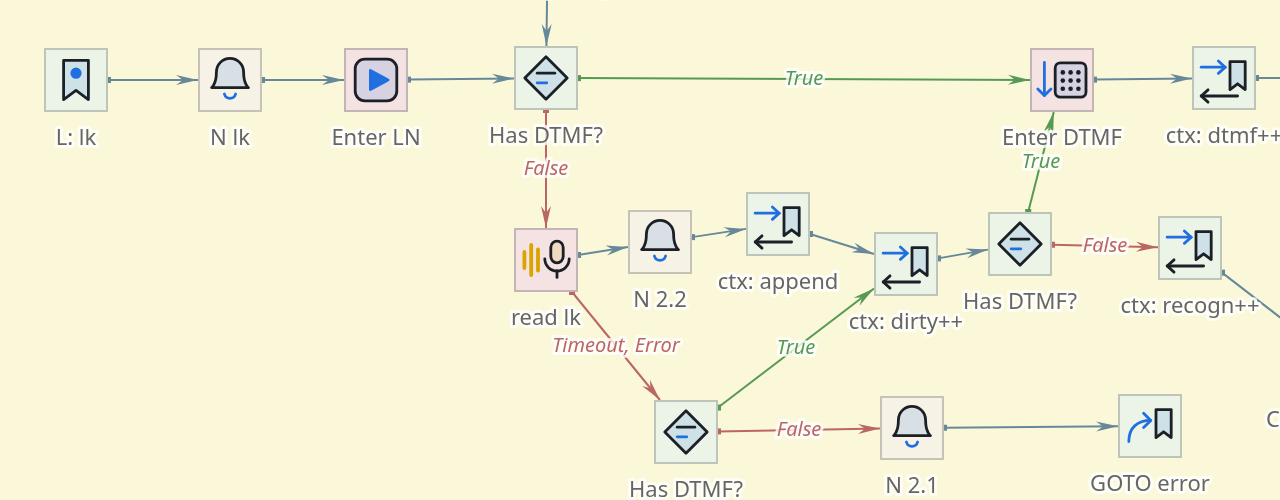
 Label
-
named point
script. The call, having reached her, goes on as if nothing had happened; meaning
label is that it can be referred to by name.
 Transition
-
diverts the call to a label with the specified name and does not return. Analogous to “go there and continue”
from there."
 Thread
-
diverts the call
to the mark with return. Once completed, the marked area will return control
here, and the call will go further via regular communication.
 Return:: the end of this
plot. He returns control to the one who called the branch.
The label, transition and branch are connected not by an arrow, but by a name. Therefore
|
The connection between the transition and the marker on the map is not drawn. It’s not a mistake drawings: a line through the entire script would not say anything more than which is already written with the name of the mark - and the card would be crossed out. Where exactly the call will go can be seen in the properties. And to find both sides at once - both the label and everyone who refers to it - the easiest way is to search: kbd: [Ctrl+F] and the name of the label. The search also searches by property values, so it also finds the label, and every link to it. |
What the called area looks like
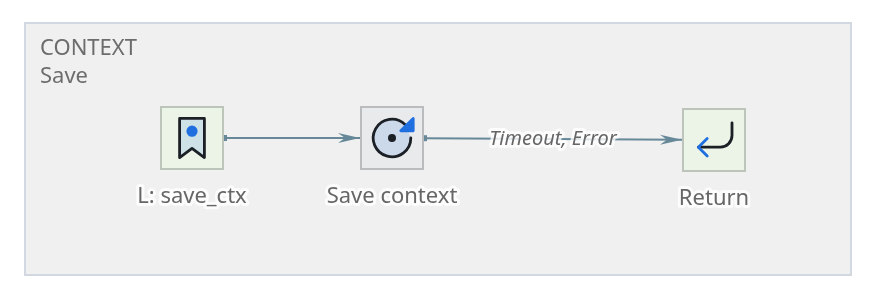
save_ctx: label, work, returnThe section begins with a Mark with a name, then goes the usual chain
components, and ends with Return. There is nothing special about it: it’s the same scenario, it just has a name and knows how to return control.
It is customary to move such areas to a separate region and sign them. Then
the map shows that this is not part of the main flow, but a “function”,
which is called from several places.
Branch properties
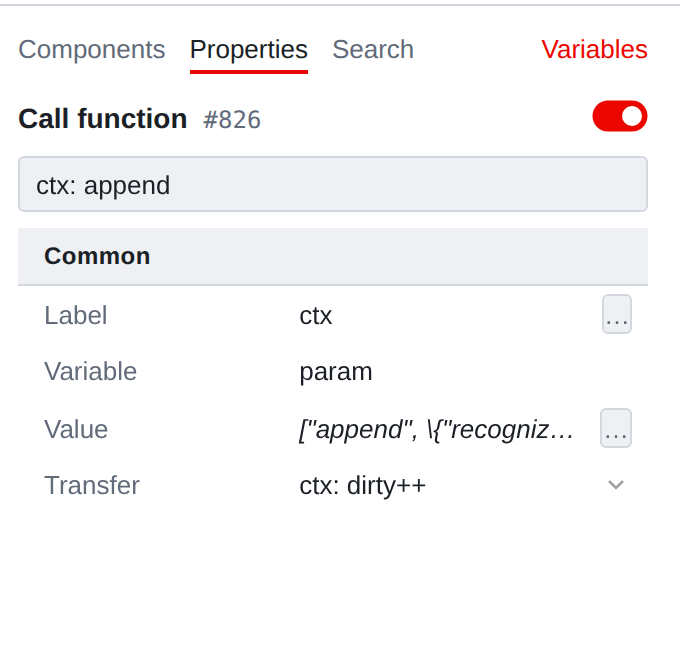
- Label
-
name to which we are leaving. This is a regular argument field
(Argument): name can be specified
constant, but can be calculated. Variable and Value:: what to pass to the called section. Works
as a parameter: the variable is assigned a value before leaving.
- Transition
-
where to go after returning. This connection is drawn on the map -
she’s ordinary.
The Transition (the one without return) has the same properties, except for the last one: there is nowhere to return, so there is no “after” branch.
Label calculated at runtime
The fact that the label is specified by an argument is not a trifle, but an important possibility:
*which branch of the script will be executed next can be decided during
execution*. The same Branch will call different sections depending on from what is in the variables at this moment.
|
There is a downside to this. If the label name is calculated, in the editor impossible to say where the control will go: the goal depends on the values, which do not exist at the editing stage. Management can go to any script mark. Such places should be signed - in the component description or in the signature region: what values are possible and what labels correspond to them. Otherwise You’ll have to figure it out using the processor logs. |
When to use what
| Problem | What to decide |
|---|---|
The same piece is needed from three places |
Label + Branch: called, worked, returned |
From this point the call should go forever - to another section of the script |
Label + Transition |
The piece is needed in just one place |
Nothing: ordinary connections are shorter and clearer |
The piece is needed in another scenario |
“Running a script” is no longer a tag |
|
The label name is just a string, and the editor doesn’t mind referring to something that doesn’t exist. The typo will not be highlighted on the map: there is no line there. This is being checked search by tag name - if only a link and no tags were found, the transition leads to nowhere. Tracing is not helpful here: it goes along connections, and the transition follows a label is not a connection. The path on such a component simply breaks off - and ends it is the same both when there is a mark and when it is not. |
What else can you do to unload the map?
-
Regions and signatures - previous chapter. The cheapest thing you can do.
-
Talking names. “Checking working hours” is found by searching,
  "Comparison 12" - no.
* *Layout.* One branch - one horizontal; wrong outcomes down,
main move to the right. The rule is simple, but it is what makes the card
readable without a single signature.
-
Switching off instead of deleting - when the area is temporarily not needed.