8. Regions
Region - a rectangular frame with a signature. It does nothing with the call:
This is the layout of the map for a person.
Why are they
While there are a dozen components, the map is readable even without markings. On a hundred - no longer: the eye does not find where one semantic part ends and begins
another.
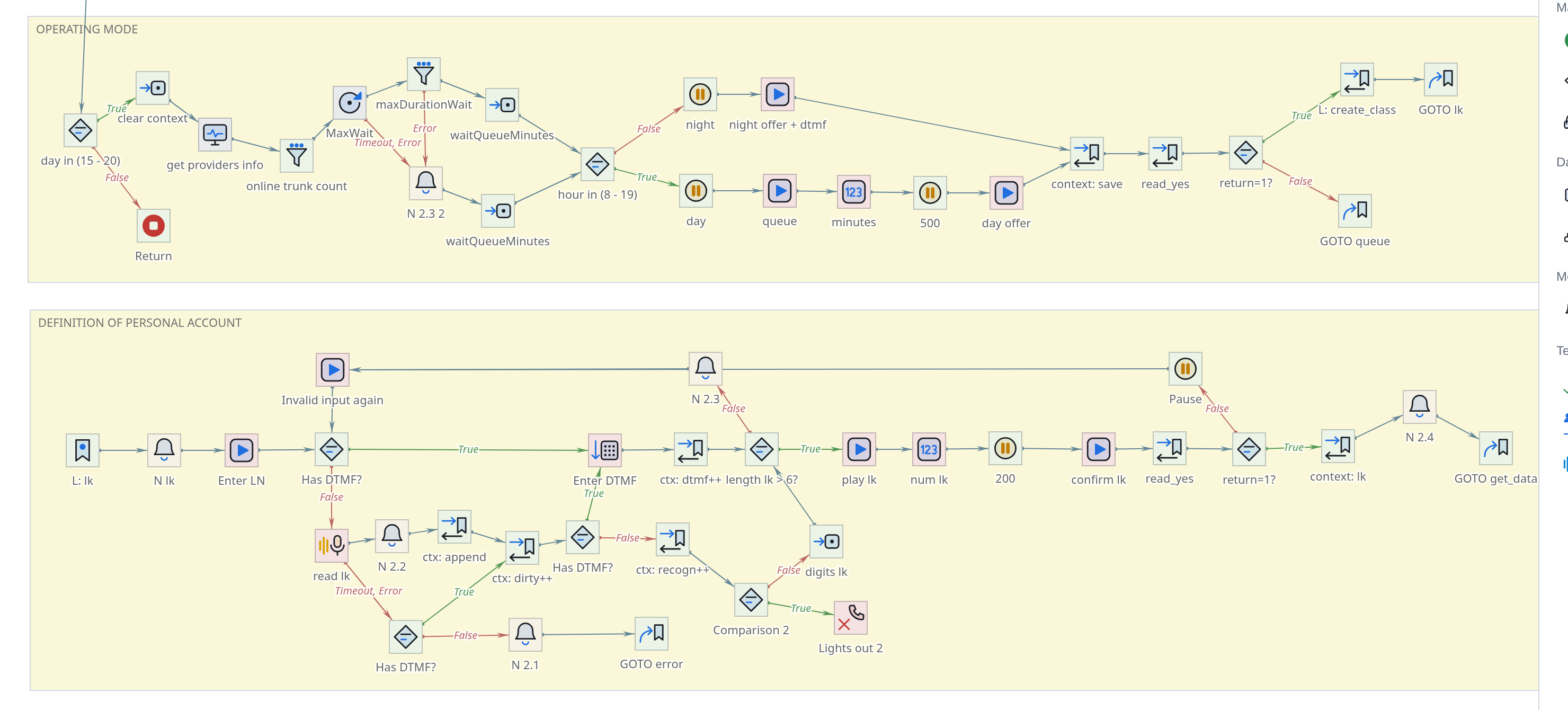
Region answers this question immediately and without reading: signed region
is visible in its entirety, and in review mode it is the signatures of the regions that remain
readable - the names of the components are no longer legible at this scale.
But the main thing in the region is not even the grouping, but the signature. It’s multi-line and they write in it something that cannot be written anywhere else: why this section, what
he has conditions, why it was done this way, that you can’t touch it here.
A region is a comment left visible on the map.
Third, why they are brought in: the region moves along with everything
content. Translating an entire piece of the script is possible in one movement, and not by allocating forty squares.
|
A region is needed not when the script no longer fits on the screen, and then, when the logic became difficult to retell and for one’s own memory. A highlighted functional block has appeared - wrap it in a region and label it. Added something non-standard to the working scenario - leave it to the region with an explanation. You can arrange regions later, but in a timely manner - cheaper and more precisely: in a month you will no longer remember half of the considerations. This is about the culture of scripting: the clearer the script, the longer it will take lives and the more calmly the next one rules. |
Create region
Select the Region tool in the palette and drag a frame across the map.
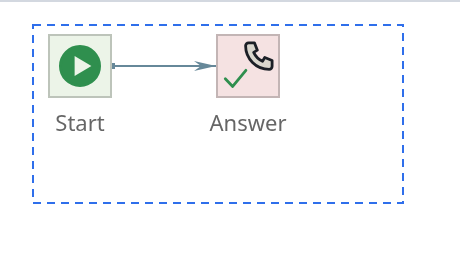
Components once inside are not transferred anywhere and nothing
do not “receive”: belonging to a region is determined only by the fact that the square lies within its borders.
Once created, the tool itself returns to the pointer.
Signature and colors
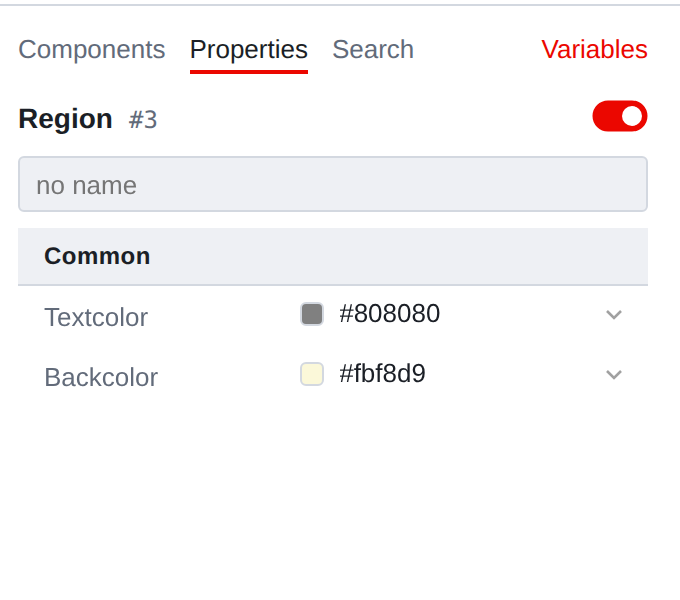
The region has only two string properties - text color and background color. Both
selected from the palette or specified by a code of the form #fbf8d9.
Text of a region is edited not by a line in the table, but by an area at the bottom of the panel -
where ordinary components have a description. This is done because the text
the region has a multi-line one: both the title and the explanation below it are written in it.
Color should be used wisely: three to four shades per scenario
read, ten - turn into a mosaic. A useful rule is one color
for one type of work: for example, sand for main logic, gray
for service branches.
Select and move
The region behaves like an object, but with reservations, because it almost always
it is not he himself who is needed, but what is on him.
- Beyond the middle
-
moves with the content.
- Over the edge
-
stretched. The components remain in place - they change
only frame. The cursor at the border becomes a double-headed arrow. Shift and click:: cycles through four selection bars: region → region
with content → content only → nothing. The third beat is needed to
move the contents without dragging the frame.
- Lasso
-
a frame that fits entirely inside a region does not highlight the region itself -
it selects components in the area. Once the frame crosses the border - region gets into the selection.
With Alt held, both moving and stretching are done on the 8 px grid.
==What the region doesn’t do
- It does not affect the execution of
-
A call does not “enter” or “leave” a region. Management walks only through connections.
- It doesn’t group properties
-
You cannot set something to “all components of a region” through the region itself.
To do this, they are isolated (kbd: [Shift] and click, second bar) and lead the group.
- It is not invested in anything
-
Regions can be drawn on top of each other, but there is no hierarchy between them:
the editor only considers whose square lies within whose boundaries.