6. Error messages
A refusal is explained in words. Below is what each message means and what to do about it.
Section, folder, permissions
| Message | What it means |
|---|---|
Section unavailable in this domain |
The section does not exist in this domain. This is by design in some cases: some sections exist only in the master domain. Check the domain in the header. |
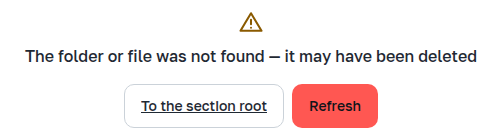
Folder or file not found — it may have been deleted |
The link points to something that no longer exists: the file was deleted or the folder renamed. Refresh re-reads, To section root returns to the beginning. |
Insufficient permissions for this operation |
The account has no permission for this operation; permissions are determined by its role in the domain. |
View only in this domain |
A label in the section header: files of this section are maintained in the master domain ("Sections" section). |
No connection to the server |
The request did not arrive or the server did not respond. Retry tries again. |
The server could not perform the operation |
An error response. If it repeats, check the server log and contact support. |
Session
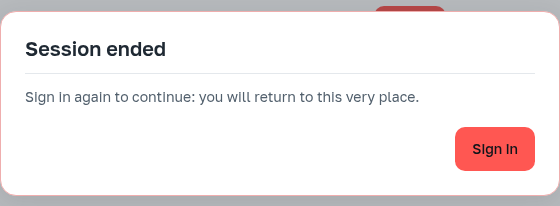
The session ended during work: it expired or was closed from another device. After signing in the application returns to the same place. Unfinished uploads are lost — they must be repeated.
File and folder names
| Message | What it means |
|---|---|
The part of the name after "!" matches a section method: such a file would be unreachable |
Some operations are invoked by a suffix after |
Name longer than 255 bytes, empty name, name "." or ".." |
Such names are not accepted; validation happens before sending. |
The name contains a path separator, but this section has no nested folders |
A file with a slash in its name would end up in a subdirectory that a flat section cannot have. |
Extension not among those expected in this section |
A warning, not a prohibition: you can upload, but check that you are putting the file in the right place. |
File larger than the allowed size |
The section limit on the size of one file. |
Folders
| Message | What it means |
|---|---|
Folder content changed: numbers updated |
Between the two deletion steps someone changed the folder. The dialog shows new numbers — confirm with a hold again. |
More than 10,000 files inside: the server cannot delete such a folder — delete it in parts |
The limit of recursive operations. The hold is not offered in this case: the operation would be rejected anyway. |
The folder was created directly on the server disk and is not managed through the application |
A folder in a flat section with no route into it in the REST API: it cannot be opened, marked, or changed. It must be dealt with on the server ("Folders" section). |
Archives
| Message | What it means |
|---|---|
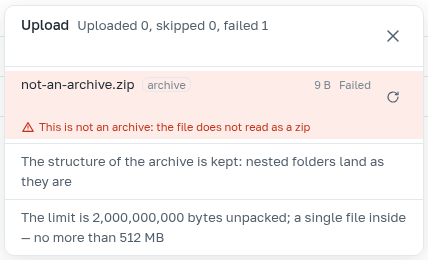
This is not an archive: the file cannot be read as zip |
The |
The archive contains a path escaping its bounds: it cannot be unpacked |
Inside there is |
Unreachable name inside the archive: <entry> |
The entry name falls under the suffix rule; that entry must be fixed. |
Less than … bytes are accepted per request: this archive is larger |
The request size limit. The application says this before sending, based on file size. |
The server did not accept the archive: its limit is … |
The same case, but the limit was named by the server: the application shows its number. |
Unpacked, the archive is larger than 2,000,000,000 bytes: split it into parts |
The limit is calculated on the unpacked volume, and the server sees it from the archive table of contents — before anything is written. |
A file inside the archive is larger than the allowed size: <entry> |
An individual file inside the archive is subject to the same limit as an uploaded section file. |
The folder has … files and …: an archive is assembled while files are fewer than 10,000 and the volume is less than 2,000,000,000 bytes |
Said before assembly: the application learns the volume of the folder or section in advance ("Archives" section). |
Preview
| Message | What it means |
|---|---|
File larger than 1 MB: preview is not shown |
A preview limitation; the whole file can be downloaded. |
The file is binary: there is nothing to show as text |
The name promised text, but the beginning of the file contains null bytes. |
Preview is not shown for this type |
The type has neither a player, nor a picture, nor a text view. Download remains. |